
How to fund an account?
Account funding is available via the following methods:
- Bank transfer
- ELQR
- Cryptocurrency (USDT)
Bank transfer:
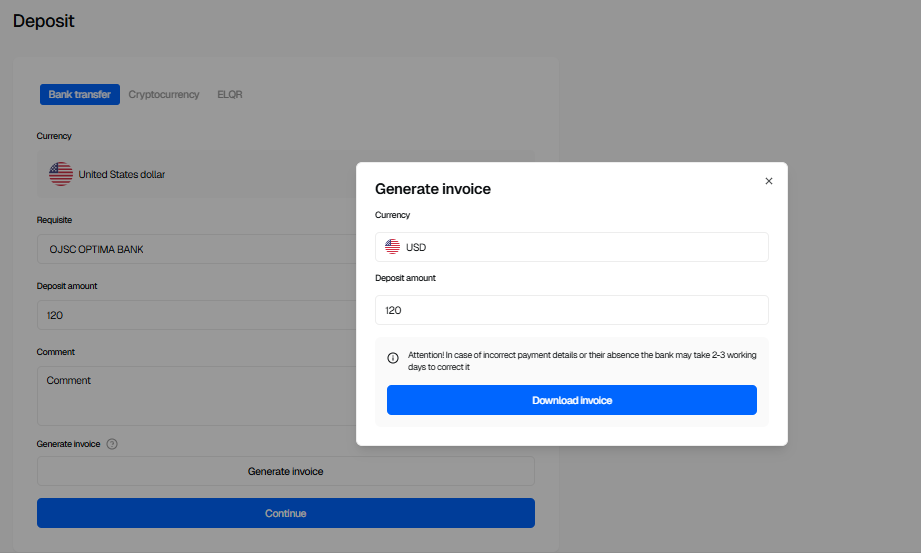
- Go to the "Top-up" section and select the "Bank transfer" method.
- Fill in the required fields:
- Deposit amount,
- Currency,
- Requisite.
- Comment (optional).
- After filling in all the required fields, the option to Generate an invoice will appear.
- On the confirmation screen, ensure all data is filled in correctly and generate the invoice.
- Complete the bank transfer using the provided requisites.
- Click “Continue”, upload the bank transfer receipt, and click “I have sent the transfer”.
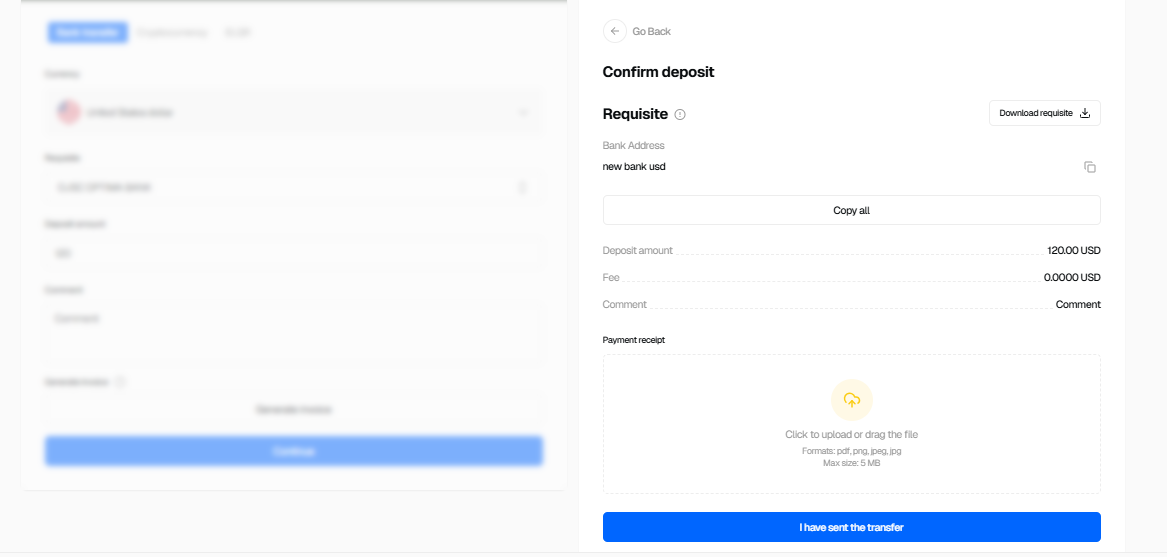
After this, the top-up request will be sent to the staff. The operation status can be tracked in Account statement.
ELQR deposit
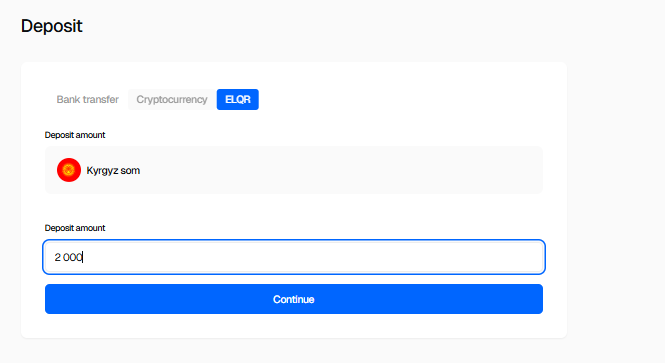
- Go to the "Deposit" section and select the "ELQR" method.
- Enter the deposit amount.
- Click “Continue”, then “Proceed to payment”.
The account balance and deposit history are updated automatically after the transaction is completed.
Cryptocurrency deposit
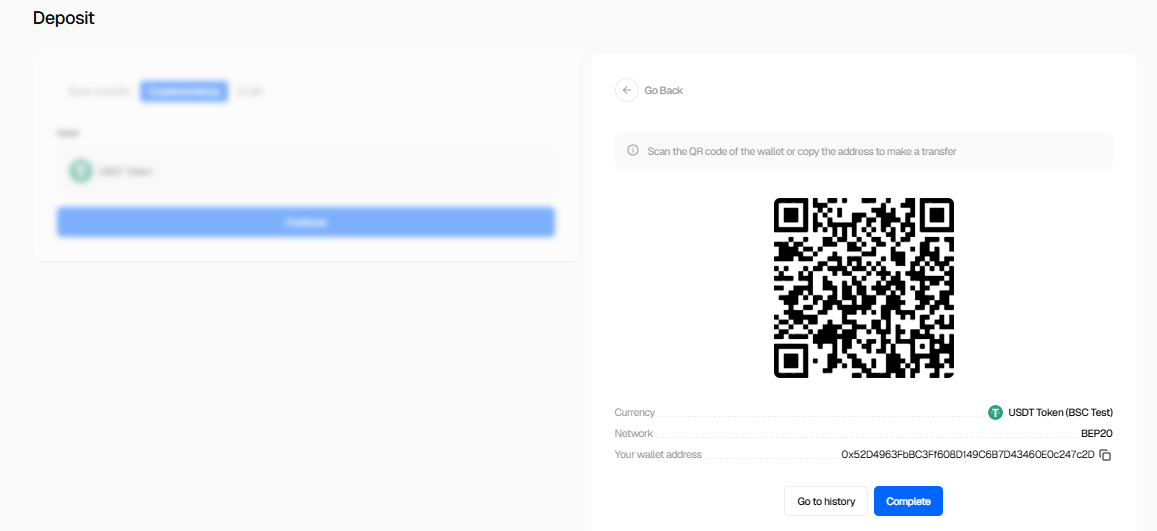
- Go to the "Deposit" section and select the "Cryptocurrency (USDT)" method.
- Only USDT is available for deposits.
- Use the wallet QR code or copy the wallet address to make the transfer.
- Funds must be sent strictly via the selected network.
After confirmation, the transaction status becomes available in Account statement.
Important: Sending funds via an incorrect network or to an incorrect address may result in a loss of funds.